
WhatsApp and website chat: one inbox for customer messages
Answer WhatsApp and website chats in one inbox, see delivery and the 24-hour window, send approved templates, and get AI reply suggestions you approve.
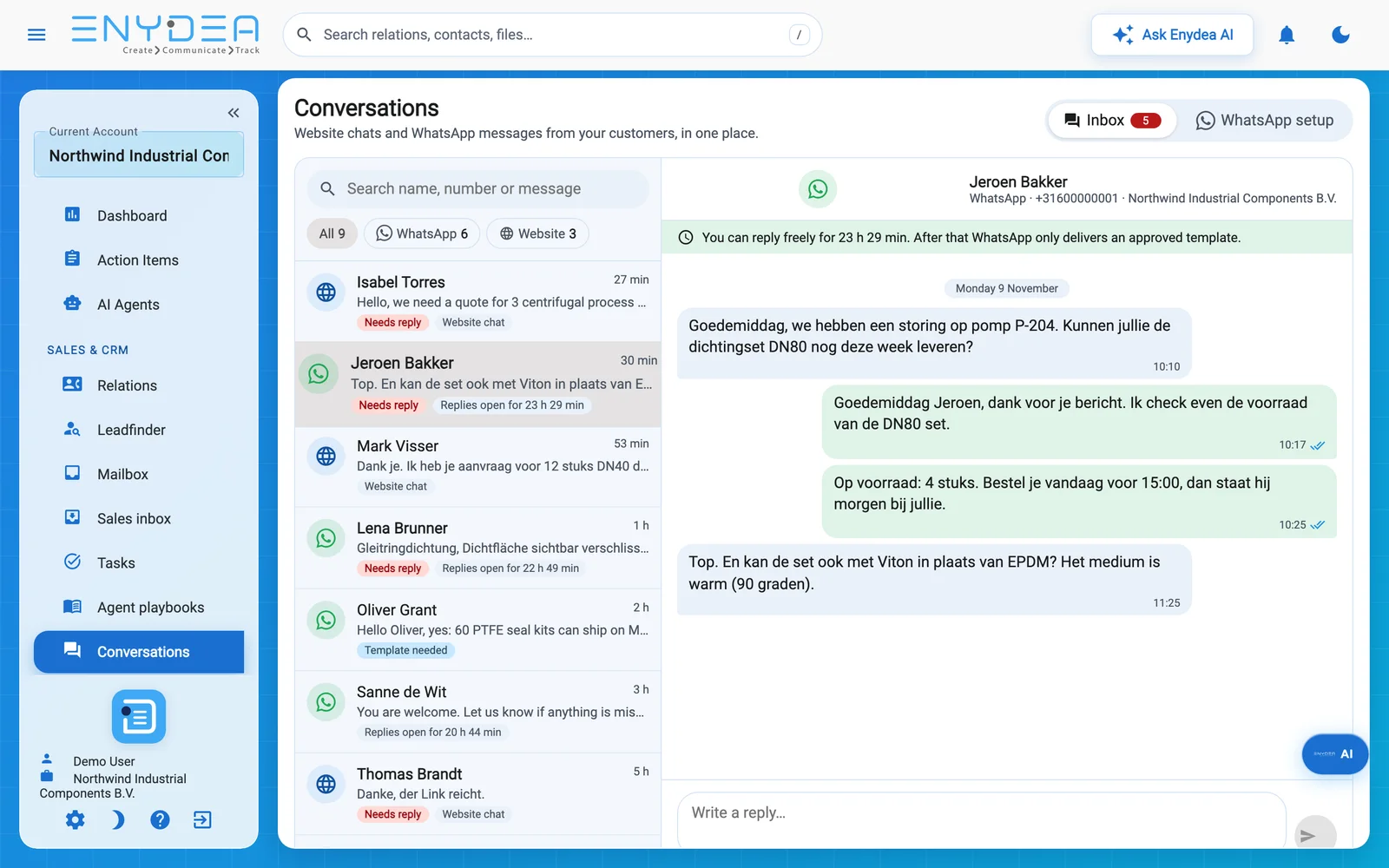
What it does
- One inbox: website chats and WhatsApp messages in one list, newest first. Filter by WhatsApp or website, search by name, number or text, and see at a glance which customers wrote last.
- The 24-hour window, shown: WhatsApp delivers free text only for 24 hours after the customer last wrote. The conversation says how long a free reply is still possible. After that, you pick an approved template instead.
- Delivery you can read: every reply shows whether it is sending, sent, delivered or read. A message that was not delivered shows the reason in plain words.
- Templates: write a template, send it to Meta for approval and follow its status. A marketing template goes only to people who agreed to marketing messages, and a customer who replied STOP is not written to.
- Files: photos, documents, voice notes and videos from customers show in the conversation, and you can send a file with a caption.
- AI suggestions: suggested replies and the fitting template, which you read and edit before anything is sent.
- Into the CRM: add a WhatsApp contact to the CRM from the conversation.
- Nobody waits unseen: the chat's owners and your company admins get a notification for a new message, and a per-number alert warns before the reply window closes.
- Website chats on your own WhatsApp: a team member can opt in, prove their number with a code, and receive visitors' messages on their phone.
Good to know
- Website chat works on its own. WhatsApp needs a Meta (Facebook) business account and a phone number you can verify, and you connect it in Meta's own sign-in window. Which numbers and accounts Meta accepts is Meta's decision, not Enydea's.
- Nothing is sent without a person pressing send. See the WhatsApp section of the social media manual and the tutorial Answer customers in Conversations.